
XT400
Maximize welding value!Technical Documentation
Front Panel
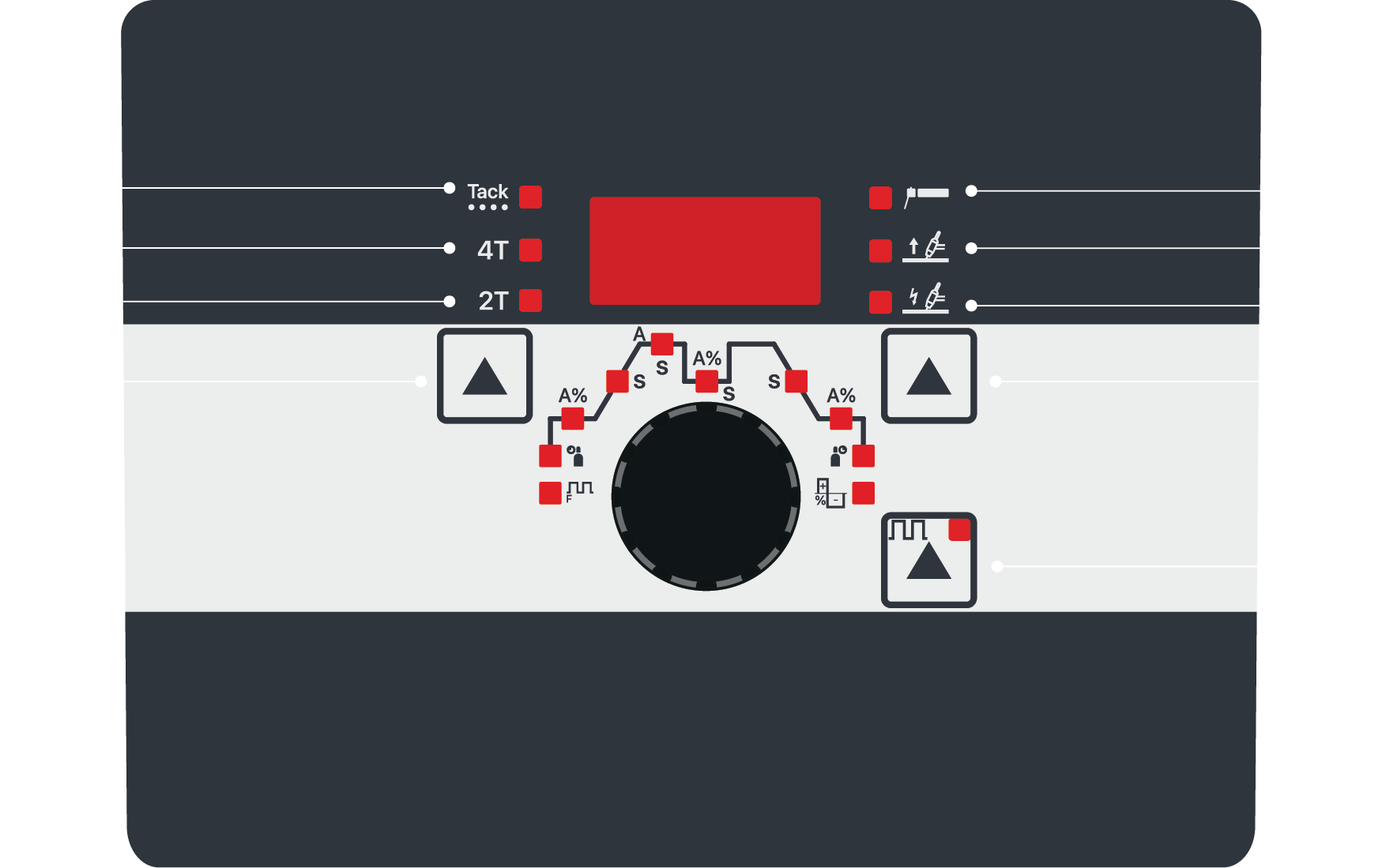
(1) Spot Welding
(2) 4T Tetik Modu
(3) 2T Tetik Modu
(4) Process Settings
(5) Pulse Settings
(6) Process Settings
(7) High-Frequency Ignition (HF Start)
(8) Lift TIG Ignition (Lift Start)
(9) CEL
Error List
| ERR | 01 | Error-1 Phase error. Occurs when any of the phases does not reach the machine. |
| ERR | 03 | Error-3 IGBT thermal error. Occurs when the IGBTs overheat or when the fan is not operating. (Used in SAW models only.) |
| ERR | 04 | Error-4 Flow sensor error. Triggered when the machine runs out of coolant or when the connectors are not properly inserted. |
| ERR | 05 | Error-5 IGBT thermal error. Occurs when the IGBTs overheat or the fan is not operating. |
| ERR | 06 | Error-6 Diode thermal error. Triggered when the output diode overheats. |
| ERR | 08 | Error-8 Panel board communication error. Occurs when the panel board fails to communicate with the motor board. |
| ERR | 09 | Error-9 Motor board communication error. Occurs when the motor board fails to communicate with the control board. |
| ERR | 10 | Error-10 Con trol board communication error. Triggered when the control board fails to communicate with the panel. |
| ERR | 12 | Error-12 Overcurrent error. Occurs when the machine attempts to draw excessive current or when one of the phases is missing. |
| ERR | 14 | Error-14 Overcurrent protection error. Usually triggered by an IGBT malfunction. |
| ERR | 15 | Error-15 It occurs when there is a problem at +15 or -5 volts. It can also trigger this error if the current sensor is faulty. |
| ERR | 20 | Error-20 Robot board communication error. Occurs when the robot board fails to communicate with the control board. |
| ERR | 30 | Error-30 Motor overcurrent error. Triggered when the motor current exceeds its defined limit. |
| ERR | 40 | Error-40 Memory read/write error. Occurs when the panel fails to read or write data. When this error occurs, the panel automatically resets after 5 seconds and attempts to read/write again. |
Factory Settings
Press and hold the F5 button for 5 seconds.
The machine will display a countdown from 5 to 1 on the screen.
When the countdown is complete, the device will automatically return to factory settings.